

Android Auto Web Browser

AABrowser

AABrowser is a free, open-source web browser built specifically for Android Auto head units, bringing real web browsing to compatible car displays where a browser would not normally exist. It is a practical tool with a clear purpose: the pages you need, on the screen your car already has.

It exists because Android Auto deliberately limits which kinds of apps may appear on a car display, and general browsers are not among them. AABrowser reaches the head unit through Android Auto's developer route, which is why its installation includes a couple of extra steps a Play Store app would not need.

The official project identifies AABrowser as an Android Auto web browser and sets current requirements for recent releases, so checking your Android version before installing is the one preparation that saves the most disappointment. Everything else in this guide builds on that foundation.

Rated 4.5/5 by Android Auto Users

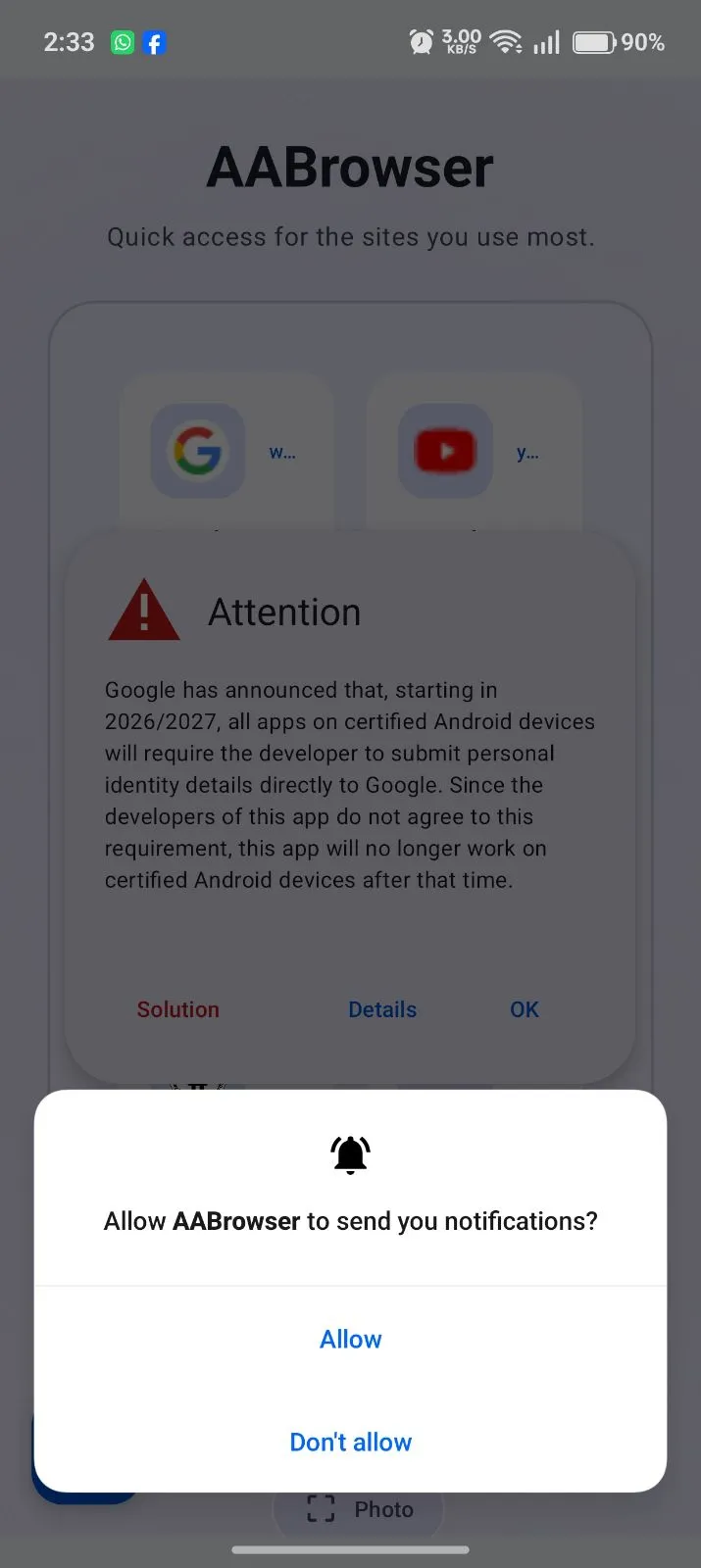
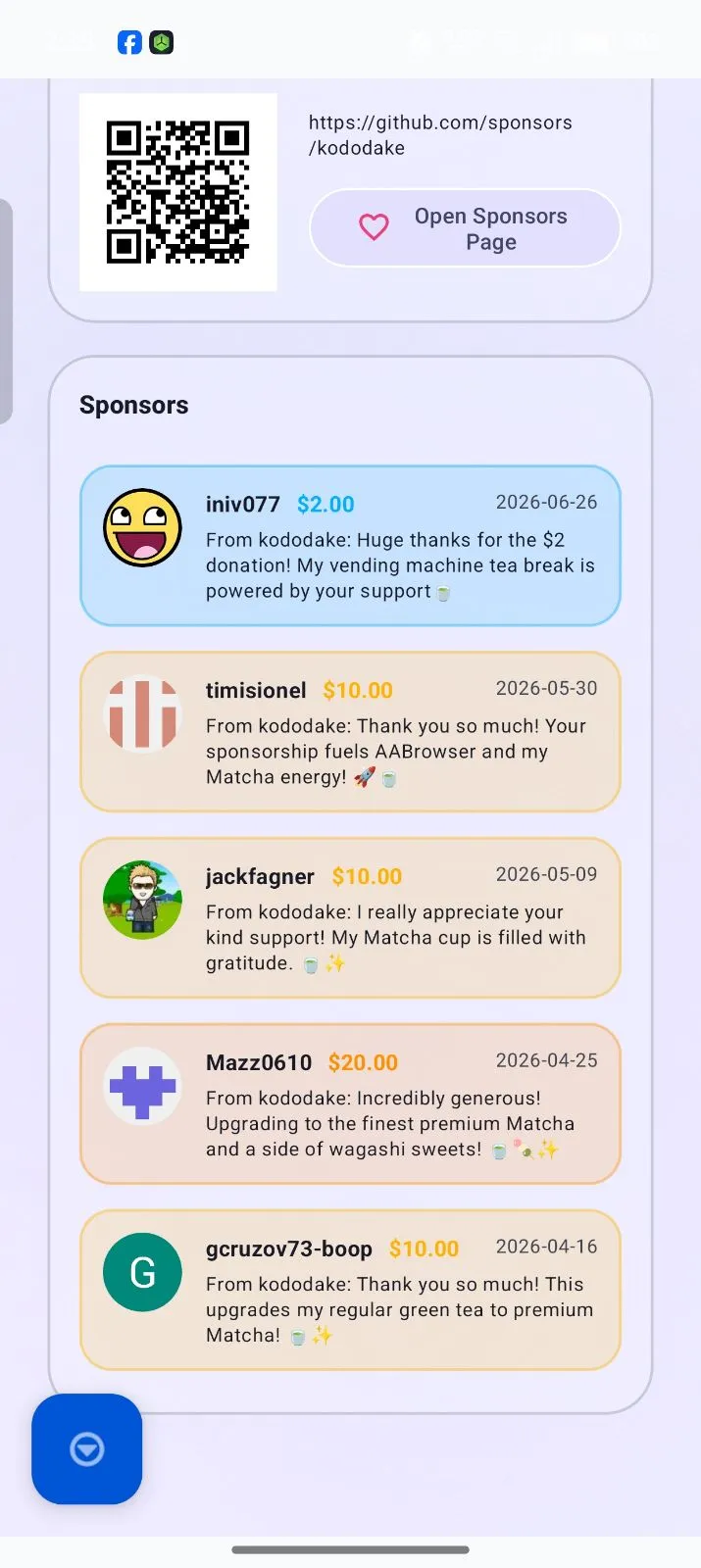
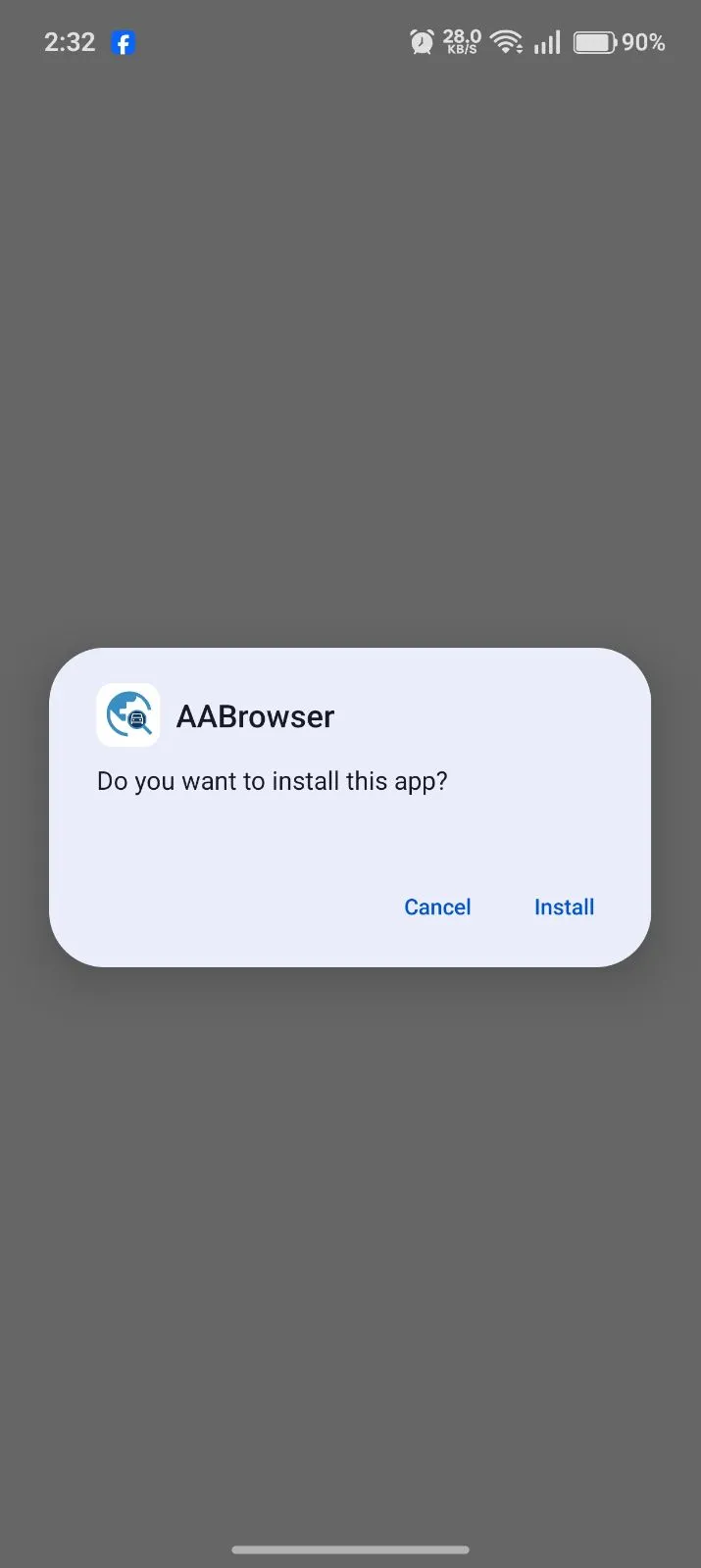
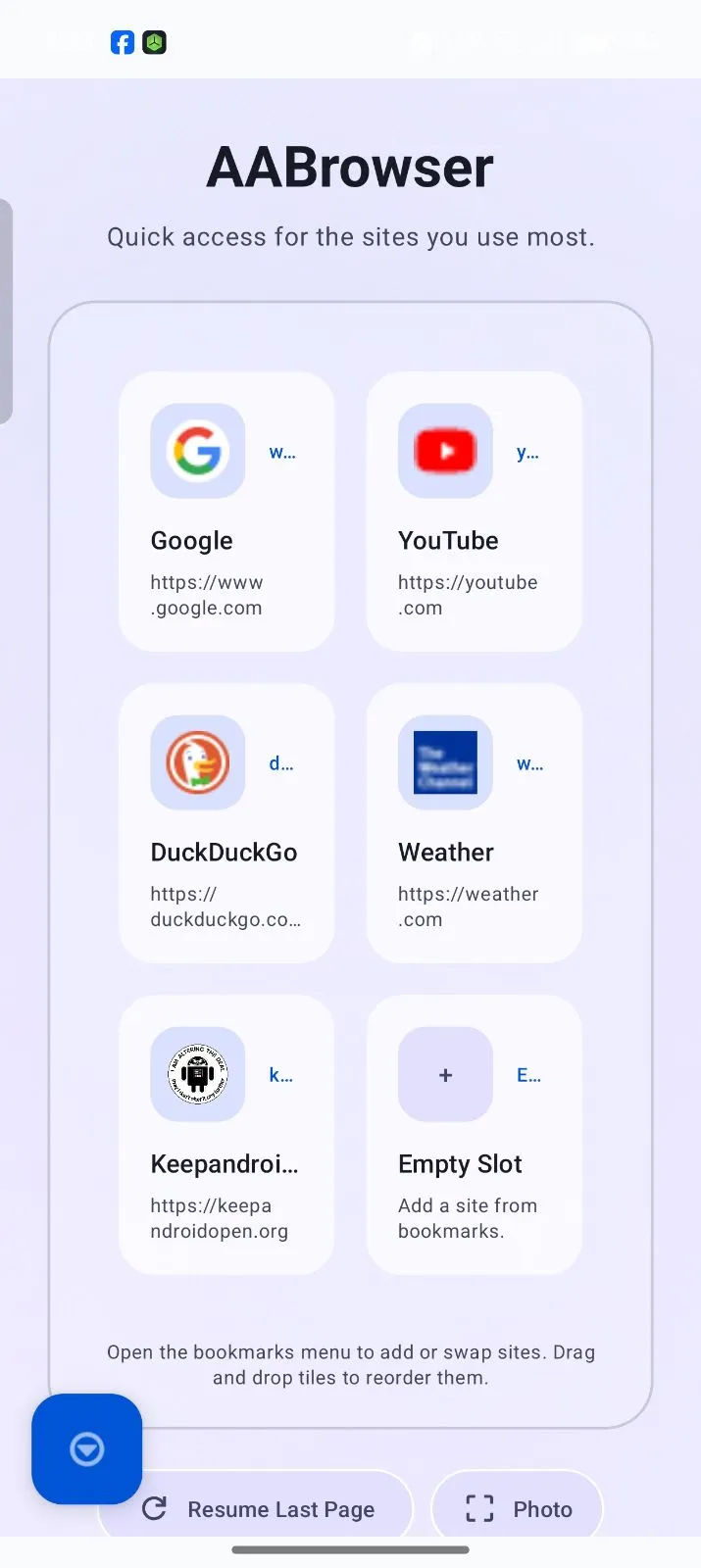
Screenshots

AABrowser in Action

AABrowser

This guide explains AABrowser in one complete homepage document: the APK download, the installation route, compatibility, configuration, safety, honest pros and cons, and the advanced tips experienced users rely on.

  • Android Auto
  • Web browsing
  • Vehicle infotainment displays
  • Opening websites from Android Auto
  • Browsing web pages on a car display
  • Using web apps on compatible head units
  • Accessing browser-based dashboards
  • Testing web pages inside Android Auto
  • Using a lightweight browser made for vehicle screens
  • Watching supported DRM-protected video content while parked
  • Your phone supports Android 15 or later.
  • Android Auto is installed and working.
  • Your vehicle or head unit supports Android Auto.
  • You are downloading from a trusted source.
  • You understand that sideloaded APKs may require manual updates.
  • You avoid fake websites or modified versions.
  • Device security
  • Android Auto compatibility
  • Browser stability
  • Future updates
  • User privacy
  • Installation reliability
  • Android Auto web browsing
  • Car-display-focused interface
  • Multiple tab support
  • DRM-supported video playback
  • Display scaling options
  • WebView-based browsing
  • Open-source development
  • Android Auto head unit support
  • Lightweight APK installation
  • GitHub-based release access
  • Free to use
  • Open-source project
  • Built specifically for Android Auto
  • Supports web browsing on car displays
  • Supports multiple tabs
  • Supports DRM-protected video playback
  • Provides GitHub transparency
  • Lightweight compared to many full browser ecosystems
  • Useful for parked-time browsing
  • Designed for head unit display behavior
  • Requires Android 15 or later
  • Not suitable for use while driving
  • Compatibility can depend on Android Auto behavior
  • Some websites may not work perfectly
  • Manual APK installation may be required
  • Fake websites can confuse users
  • Updates may require manual checking
  • Some media, login, audio, or display issues may occur depending on device and site
  • Install AABrowser on a compatible Android device.
  • Connect the phone to Android Auto.
  • Launch AABrowser from the Android Auto application list.
  • Enter or select a website.
  • Browse compatible web content through the vehicle display.

What Is AABrowser?

AABrowser is an Android Auto web browser built for users who want to open websites from a compatible car display. Unlike ordinary Android browsers, AABrowser is designed specifically around Android Auto head units, larger vehicle screens, and remote or touch-based in-car navigation.

Its main purpose is not to replace Google Chrome, Firefox, Brave, or other traditional Android browsers. Instead, AABrowser focuses on the Android Auto environment, where normal browsers are usually not available as standard launcher apps.

AABrowser connects three important contexts:

This makes it different from a normal mobile browser. A regular browser is optimized for handheld use, while AABrowser is optimized for car-display usage, Android Auto compatibility, and parked-time browsing.

  • Android Auto
  • Web browsing
  • Vehicle infotainment displays

What Is AABrowser Used For?

AABrowser is mainly used to access web pages through Android Auto on compatible head units. Users may use it for web dashboards, browser-based tools, web apps, video sites, documentation pages, or other web resources that can load inside the browser environment.

The most common use cases include:

AABrowser should be used responsibly. Web browsing or watching videos while driving can be dangerous and may be illegal depending on your location. The official Android Auto browser page emphasizes that browsing websites or playing videos while driving is hazardous and that AA Browser is intended for parked or passenger use.

  • Opening websites from Android Auto
  • Browsing web pages on a car display
  • Using web apps on compatible head units
  • Accessing browser-based dashboards
  • Testing web pages inside Android Auto
  • Using a lightweight browser made for vehicle screens
  • Watching supported DRM-protected video content while parked

AABrowser APK Download

Many users search for the AABrowser APK because the app is distributed outside the normal Google Play browsing experience. APK installation is common for Android Auto utility apps, but the source matters.

The official GitHub repository is the safest primary source because it is maintained by the developer and includes official releases. The repository also warns users about fake websites impersonating AA Browser and says not to trust unknown websites for downloads.

Uptodown also lists AABrowser for Android and describes it as a browser designed for cars, with Android 15 or higher required.

Before downloading the APK, confirm:

  • Your phone supports Android 15 or later.
  • Android Auto is installed and working.
  • Your vehicle or head unit supports Android Auto.
  • You are downloading from a trusted source.
  • You understand that sideloaded APKs may require manual updates.
  • You avoid fake websites or modified versions.

Why the Official APK Source Matters

APK files can be copied, modified, renamed, or republished by third-party websites. This creates risk for users who search quickly and download the first file they see.

The official project warning is important because fake websites can distribute malware, outdated builds, or modified files. For that reason, AABrowser users should prioritize the official GitHub repository and trusted app repositories only.

Using the correct APK source helps protect:

  • Device security
  • Android Auto compatibility
  • Browser stability
  • Future updates
  • User privacy
  • Installation reliability

AABrowser Features

AABrowser includes features that make it more suitable for Android Auto than a normal browser.

Core features include:

The official website describes AA Browser as a free, open-source web browser built for Android Auto head units, with web browsing, DRM-protected video playback, and multiple tabs.

  • Android Auto web browsing
  • Car-display-focused interface
  • Multiple tab support
  • DRM-supported video playback
  • Display scaling options
  • WebView-based browsing
  • Open-source development
  • Android Auto head unit support
  • Lightweight APK installation
  • GitHub-based release access

AABrowser Pros and Cons

Pros

  • Free to use
  • Open-source project
  • Built specifically for Android Auto
  • Supports web browsing on car displays
  • Supports multiple tabs
  • Supports DRM-protected video playback
  • Provides GitHub transparency
  • Lightweight compared to many full browser ecosystems
  • Useful for parked-time browsing
  • Designed for head unit display behavior

Cons

GitHub issues show users reporting cases such as installation failure, media sites not working, external-link permission issues, audio problems, Google login limitations, and display freezing, which means compatibility can vary by device, website, and Android Auto environment.

  • Requires Android 15 or later
  • Not suitable for use while driving
  • Compatibility can depend on Android Auto behavior
  • Some websites may not work perfectly
  • Manual APK installation may be required
  • Fake websites can confuse users
  • Updates may require manual checking
  • Some media, login, audio, or display issues may occur depending on device and site

How AABrowser Works

Unlike traditional Android browsers that are built for smartphones and tablets, AABrowser is designed around the Android Auto ecosystem. It uses Android's WebView technology to render websites while presenting an interface optimized for compatible vehicle displays instead of a standard mobile layout.

Rather than replacing Android Auto, AABrowser extends its capabilities by introducing browser functionality that isn't normally available through Google's default Android Auto application categories.

The browsing workflow generally follows this sequence:

This simple workflow allows users to access browser-based services while remaining inside the Android Auto interface.

  • Install it on a compatible Android device.
  • Connect the phone to Android Auto.
  • Launch the browser from the Android Auto application list.
  • Enter or select a website.
  • Browse compatible web content through the vehicle display.

Android Auto Compatibility

Compatibility is the first question every this browser user asks, because the browser only makes sense where Android Auto itself is properly supported.

The application is designed specifically for Android Auto, but several factors determine whether it will work correctly on your setup.

These include:

Because Android Auto evolves continuously, compatibility can change as Google updates the platform.

For the best experience, always use the latest stable version of both Android Auto and the app.

  • Android version
  • Android Auto version
  • Vehicle head unit
  • Device manufacturer
  • Application version
  • Android Auto configuration

Android Version Requirements

Recent it releases raised the minimum Android version, and that single requirement decides more installations than any other factor.

According to the official project documentation, **the browser requires Android 15 or later**. Earlier Android versions are no longer supported by current releases.

Before downloading the application, verify:

Meeting these requirements helps prevent installation failures and compatibility problems.

  • Your phone is running Android 15 or newer.
  • Android Auto is installed.
  • Google Play Services are functioning correctly.
  • Your device receives current Android updates.

Supported Android Auto Head Units

This browser is made for Android Auto-compatible displays in general rather than any specific vehicle brand, which keeps its potential audience wide.

Depending on your setup, you may use it with:

Actual compatibility depends on the interaction between your phone, Android Auto version, head unit firmware, and the application itself.

Because vehicle manufacturers implement Android Auto differently, behavior may vary slightly from one head unit to another.

  • Factory Android Auto infotainment systems
  • Aftermarket Android Auto head units
  • Wired Android Auto
  • Wireless Android Auto (where supported)

Installation Overview

Installing it is straightforward once the preparation is understood: the right Android version, the APK, and Android Auto's developer settings working together.

Before installation, make sure you have:

Once downloaded, install the APK like any other compatible Android application.

Unlike some older Android Auto utilities, the developer notes that **no special installer is required** - you simply download and install the APK.

  • Android 15 or newer
  • Android Auto installed
  • Available device storage
  • Stable internet access
  • The latest the browser

Enabling AABrowser in Android Auto

Because this browser is not a standard Google-distributed Android Auto app, enabling it involves Android Auto's developer settings, a short process this section explains plainly.

The official project explains that users may need to enable Android Auto's hidden Developer Settings and allow **Unknown Sources** before the application appears inside Android Auto.

The general process involves:

After completing these steps, reconnect Android Auto and check whether the app appears in the application launcher.

  • Opening Android Auto settings.
  • Unlocking Developer Mode.
  • Opening Developer Settings.
  • Enabling Unknown Sources.

Initial Configuration

Once it launches successfully, a few minutes of configuration, homepage, scaling, and permissions, noticeably improves everyday browsing.

Important settings include:

Proper configuration allows the browser to behave more consistently during everyday use.

  • Homepage selection
  • Start page behavior
  • Theme preference
  • Display scaling
  • Desktop mode
  • Tab restoration
  • URL bar visibility

Core Features of AABrowser

The browser keeps evolving through community contributions and open-source development, and its core features are shaped entirely by what car browsing actually needs.

Some of its most useful capabilities include:

  • Multiple browser tabs
  • Tab management
  • Tab switching
  • Session restoration
  • A custom homepage
  • A built-in dashboard
  • Mobile rendering
  • Desktop rendering
  • Light theme
  • AMOLED dark theme

Native Automotive Interface

Rather than stretching a smartphone browser onto a larger screen, this browser uses an interface designed specifically for automotive displays, making menus, controls, and navigation easier to use on compatible head units.

Multiple Tabs

Modern browsing requires multiple pages.

The app includes:

This allows users to move between websites without repeatedly reopening pages.

  • Multiple browser tabs
  • Tab management
  • Tab switching
  • Session restoration

Home Page and Start Dashboard

Users can configure either:

The dashboard supports quick access to frequently visited websites, helping reduce repetitive navigation.

  • A custom homepage
  • A built-in dashboard

Quick Links

The latest versions support multiple quick-access website shortcuts.

Instead of typing addresses repeatedly, users can launch commonly used websites directly from the dashboard.

Display Scaling

Vehicle displays vary significantly in size and resolution.

It allows interface scaling so users can improve readability depending on their screen dimensions.

Desktop Mode

Some websites perform better using desktop rendering.

The browser provides an option to switch between:

This improves compatibility with websites that serve different layouts depending on the browser type.

  • Mobile rendering
  • Desktop rendering

Light and Dark Themes

The browser supports multiple appearance options including:

Dark mode is particularly useful for nighttime driving because it reduces screen brightness while maintaining readability.

  • Light theme
  • AMOLED dark theme

DRM Video Playback

One feature that distinguishes this browser from many Android Auto browser projects is support for fullscreen DRM-protected video using Widevine L3 where supported.

The developer emphasizes that this feature is intended for **charging breaks or when the vehicle is safely parked**, not while driving.

Open-Source Development

The app is released as an open-source project, so its code, releases, and direction are public property in the best sense.

This provides several advantages:

Users can inspect the source code, report issues, contribute improvements, or follow ongoing development directly through the official repository.

  • Transparent development
  • Public source code
  • Community contributions
  • Faster bug reporting
  • Independent code review
  • Feature requests through GitHub

Is AABrowser Safe to Use?

Safety is one of the most searched questions before installing any Android Auto utility, and AABrowser's open-source nature makes it unusually easy to answer honestly.

The answer depends on **where you download it from** and **which version you install**.

It itself is an open-source project, meaning its source code is publicly available for inspection. This transparency allows developers and the community to review how the application works rather than relying on closed-source software.

The project maintainer also explicitly warns users about fake websites distributing unofficial versions. According to the official GitHub repository, GitHub is the only official project source, and users should avoid downloading modified APKs from unknown websites. This transparency significantly improves trust because users can verify releases directly from the original project. (github.com)

For maximum safety:

When these best practices are followed, users greatly reduce the risks associated with manual APK installation.

  • Download only official releases.
  • Keep the application updated.
  • Avoid modified APKs.
  • Review requested permissions.
  • Verify Android compatibility before installation.

Privacy Considerations

Like every web browser, the browser displays the websites you request; the privacy questions worth asking are about cookies, permissions, and shared car screens.

Its privacy therefore depends on two different components:

The browser simply provides access to web content, while individual websites determine what cookies, trackers, or login systems they use.

To improve privacy:

Good browsing habits remain just as important inside Android Auto as they are on a smartphone or desktop computer.

  • The browser itself.
  • The websites you visit.
  • Visit trusted websites.
  • Avoid unknown downloads.
  • Keep Android updated.
  • Use secure passwords.
  • Sign in only when necessary.
  • Keep your browser updated.

Advantages of Using AABrowser

This browser has grown popular because it fills a genuine gap in the Android Auto ecosystem: real browsing, including media, on the car's own display.

Some of its strongest advantages include:

  • Public source code
  • Community contributions
  • Faster bug reporting
  • Transparent development
  • Continuous improvement
  • Faster startup
  • Lower resource usage
  • Simpler navigation
  • Easier maintenance
  • Report bugs
  • Suggest improvements
  • Track updates
  • View ongoing development
  • Participate in discussions

Built Specifically for Android Auto

Unlike Chrome or other mobile browsers, the app is designed around Android Auto displays.

This means its navigation, controls, and interface are better suited for larger automotive screens.

Open-Source Development

Open-source software provides greater transparency than many proprietary applications.

Benefits include:

Users can monitor development directly through the official repository.

  • Public source code
  • Community contributions
  • Faster bug reporting
  • Transparent development
  • Continuous improvement

Lightweight Design

It focuses on browser functionality without becoming overloaded with unnecessary features.

This lightweight approach generally results in:

  • Faster startup
  • Lower resource usage
  • Simpler navigation
  • Easier maintenance

Active Community

Because development occurs publicly, users can:

This creates continuous feedback between users and developers.

  • Report bugs
  • Suggest improvements
  • Track updates
  • View ongoing development
  • Participate in discussions

Flexible Browsing Experience

Instead of limiting users to predefined applications, the browser expands Android Auto by providing access to browser-based resources.

This flexibility is one of the primary reasons many Android Auto enthusiasts install the application.

Current Limitations

Every software project has limitations, and understanding AABrowser's honestly, compatibility boundaries, website quirks, parked-use rules, sets expectations it can actually meet.

Rather than viewing these as disadvantages, consider them as boundaries created by Android Auto itself, current hardware, or ongoing development.

Some current limitations include:

These limitations are common among Android Auto utility applications and are continuously addressed through future releases.

  • Android 15 or later is required.
  • Compatibility varies between head units.
  • Some websites may not function perfectly.
  • Certain authentication methods may behave differently.
  • Some media services have browser-specific restrictions.
  • Manual APK installation may be necessary.
  • Google policy changes can affect Android Auto compatibility.

How to Get the Best Performance

Performance depends on more than the application: the phone, the connection, the head unit, and a handful of settings all share responsibility.

This browser works best when the entire Android Auto environment is maintained properly.

Recommended practices include:

  • Compatibility
  • Security
  • WebView performance
  • Android Auto stability
  • Bug fixes
  • Performance improvements
  • Compatibility enhancements
  • New features
  • Page loading
  • Video playback
  • Search
  • Navigation
  • Website responsiveness

Keep Android Updated

Operating system updates often improve:

Keeping Android current benefits both the app and Android Auto.

  • Compatibility
  • Security
  • WebView performance
  • Android Auto stability

Update Android Auto

Google frequently improves Android Auto compatibility and fixes bugs.

Running the latest version reduces the likelihood of unexpected behavior.

Install the Latest AABrowser Release

Every release may include:

Updating regularly helps maintain the best experience.

  • Bug fixes
  • Performance improvements
  • Compatibility enhancements
  • New features

Maintain Stable Internet Connectivity

Because it loads live web pages, connection quality directly affects:

Using a reliable mobile data or Wi-Fi connection provides a smoother browsing experience.

  • Page loading
  • Video playback
  • Search
  • Navigation
  • Website responsiveness

Restart Occasionally

Restarting your phone and reconnecting Android Auto periodically helps refresh background services and improve long-term stability.

Advanced Tips for Better Browsing

Experienced Android Auto users optimise for convenience rather than accepting defaults, and their best habits are simple enough for anyone to copy.

The following recommendations can improve everyday usability.

  • Search engines
  • Weather dashboards
  • Personal web applications
  • Frequently used portals
  • Switch rendering mode.
  • Refresh the page.
  • Compare mobile and desktop layouts.
  • New features
  • Better compatibility
  • Bug fixes
  • Performance improvements

Customize Your Homepage

Instead of opening a random website each time, configure a homepage that matches your routine.

Many users choose:

This reduces navigation time.

  • Search engines
  • Weather dashboards
  • Personal web applications
  • Frequently used portals

Organize Frequently Visited Websites

If you regularly visit the same websites, use quick links instead of typing URLs repeatedly.

This creates a faster workflow inside Android Auto.

Switch Between Mobile and Desktop View

Some websites display better in desktop mode.

If a page appears incorrectly:

Often, one version provides a significantly better experience.

  • Switch rendering mode.
  • Refresh the page.
  • Compare mobile and desktop layouts.

Use Dark Theme at Night

AMOLED dark mode improves readability while reducing glare during nighttime use.

It also provides a more consistent appearance with many Android Auto interfaces.

Keep Browser Tabs Organized

Although multiple tabs improve productivity, too many open tabs can reduce browsing efficiency.

Closing unused tabs helps keep navigation simple.

Follow Official Releases

Because the browser develops actively, checking official releases periodically helps you benefit from:

Following official announcements also helps avoid downloading unofficial builds.

  • New features
  • Better compatibility
  • Bug fixes
  • Performance improvements

Frequently Asked Questions

Common Questions

This browser is a free, open-source web browser built specifically for Android Auto-compatible displays, letting users browse supported websites through the Android Auto interface on their car's screen.

Yes. The app is a free, open-source project, available through its official distribution channels at no cost.

Yes, when downloaded from the official project source or a trusted repository. Avoid modified APKs from unknown websites, whose changes nobody accountable has reviewed.

Current official releases require Android 15 or newer, so check your phone's Android version before installing.

Distribution methods can change over time, so always follow the official project's current installation guidance for the reliable route.

No. Compatibility depends on Android Auto support, your Android version, the vehicle's head unit, and the current application release all agreeing.

Yes. The browser supports fullscreen, DRM-protected video playback where services allow it, intended strictly for use while safely parked, never while driving.

Yes. Its source code is publicly available through the official project repository, where releases and development can be inspected by anyone.

This usually comes down to Android Auto configuration: an unsupported Android version, or developer settings such as Unknown Sources not being enabled. Re-checking those settings resolves most cases.

Website compatibility varies: some pages need desktop mode, while others restrict certain browsers or handle sign-ins in ways a car browser cannot follow. Trying the alternate layout is the first fix.

Updates follow the project's development rhythm. Checking the official release page periodically is the reliable way to catch the newest stable version.

Yes. Newer releases steadily improve compatibility, stability, performance, and security, and updating is the simplest maintenance the app asks for.

Conclusion

It fills a unique role in the Android Auto ecosystem by making genuine web browsing available through compatible vehicle displays. Rather than pretending to be a phone browser, it is purpose-built for the car: glanceable, media-capable, and honest about the parked-use rules that make it responsible.

Its open development model, active community, car-focused interface, and steady improvements make it one of the most interesting browser projects for Android Auto users, and the easiest to verify before trusting.

Whether you are researching the app, preparing to install it, comparing your browser options, or refining a setup you already use, keep it updated, keep your configuration tidy, and let the car screen do the jobs it is genuinely good at.

Download AABrowser APK
Stefan Braun

Stefan Braun

Android Auto Apps Reviewer

Stefan tests AABrowser on real Android phones and Android Auto head units, checking installation, tab handling and display scaling before any version is listed here.

You can read more about the testing behind this site on Stefan Braun's author page.